Gmail app password
To set up an app password, go to myaccount.google.com and follow these three steps.
-
1
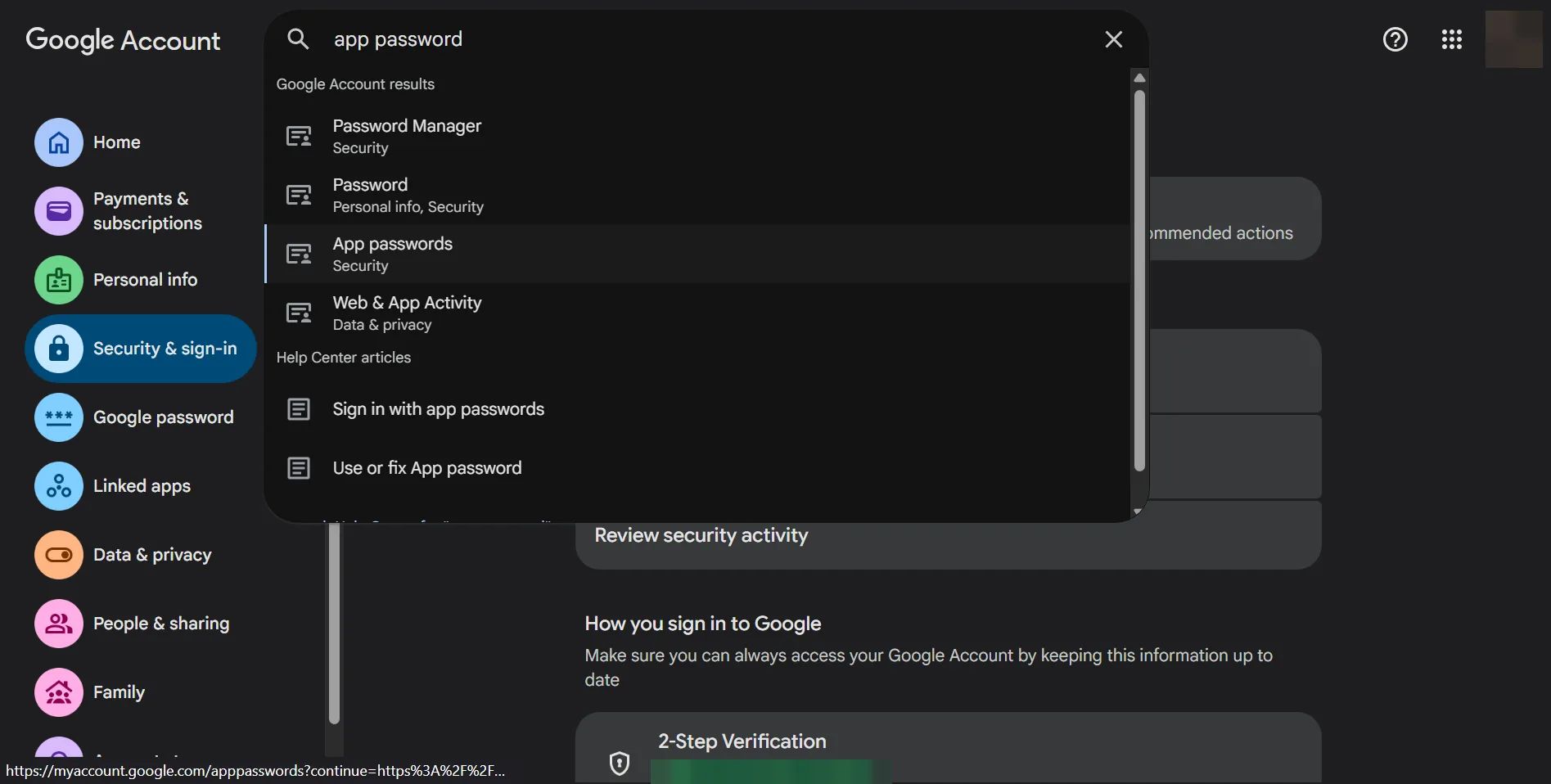
Search for app password
At the top of your Google Account, search app password and open App passwords.
-
2
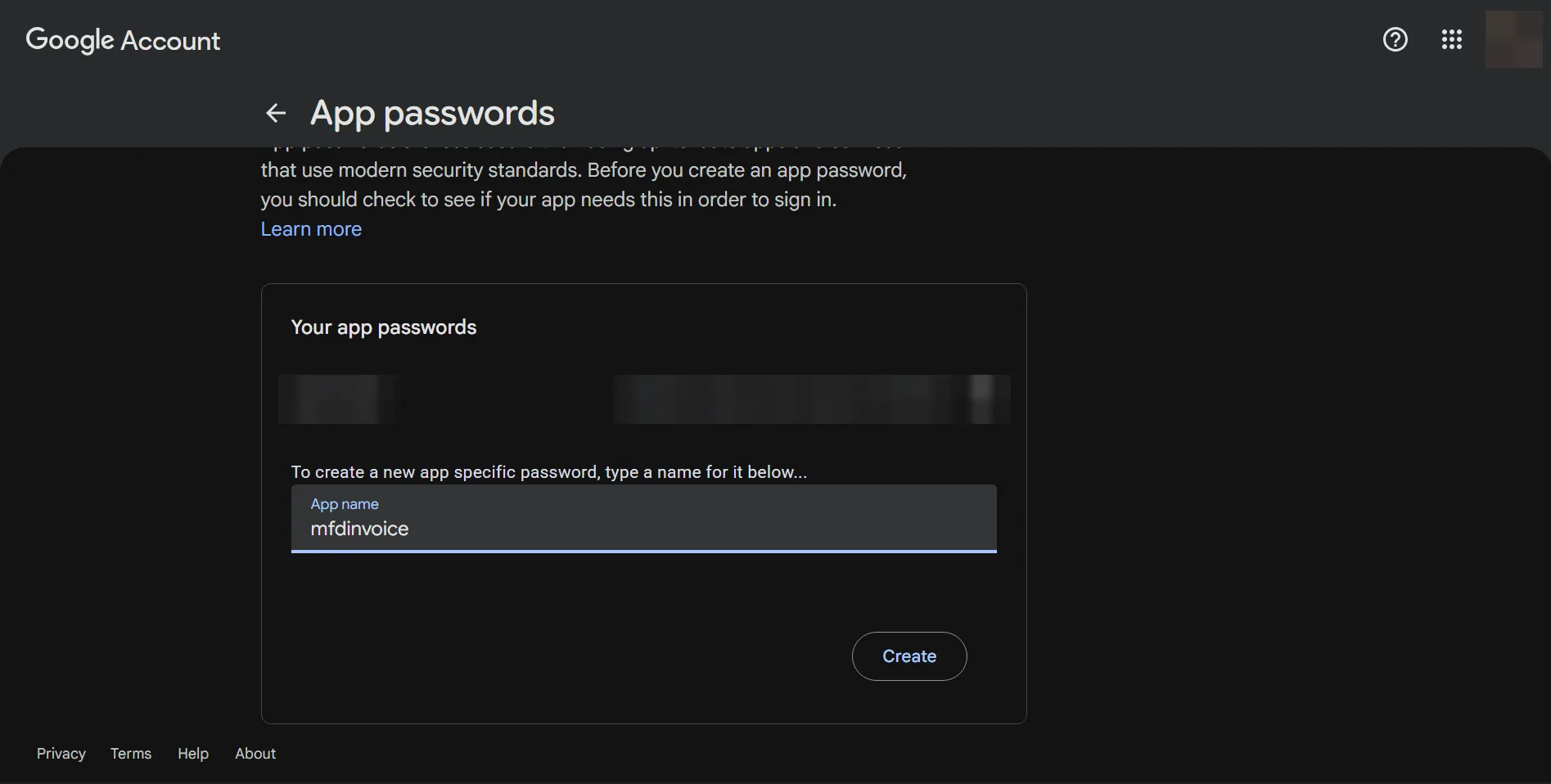
Name it and press Create
Type MFDInvoice as the name and press Create.
-
3
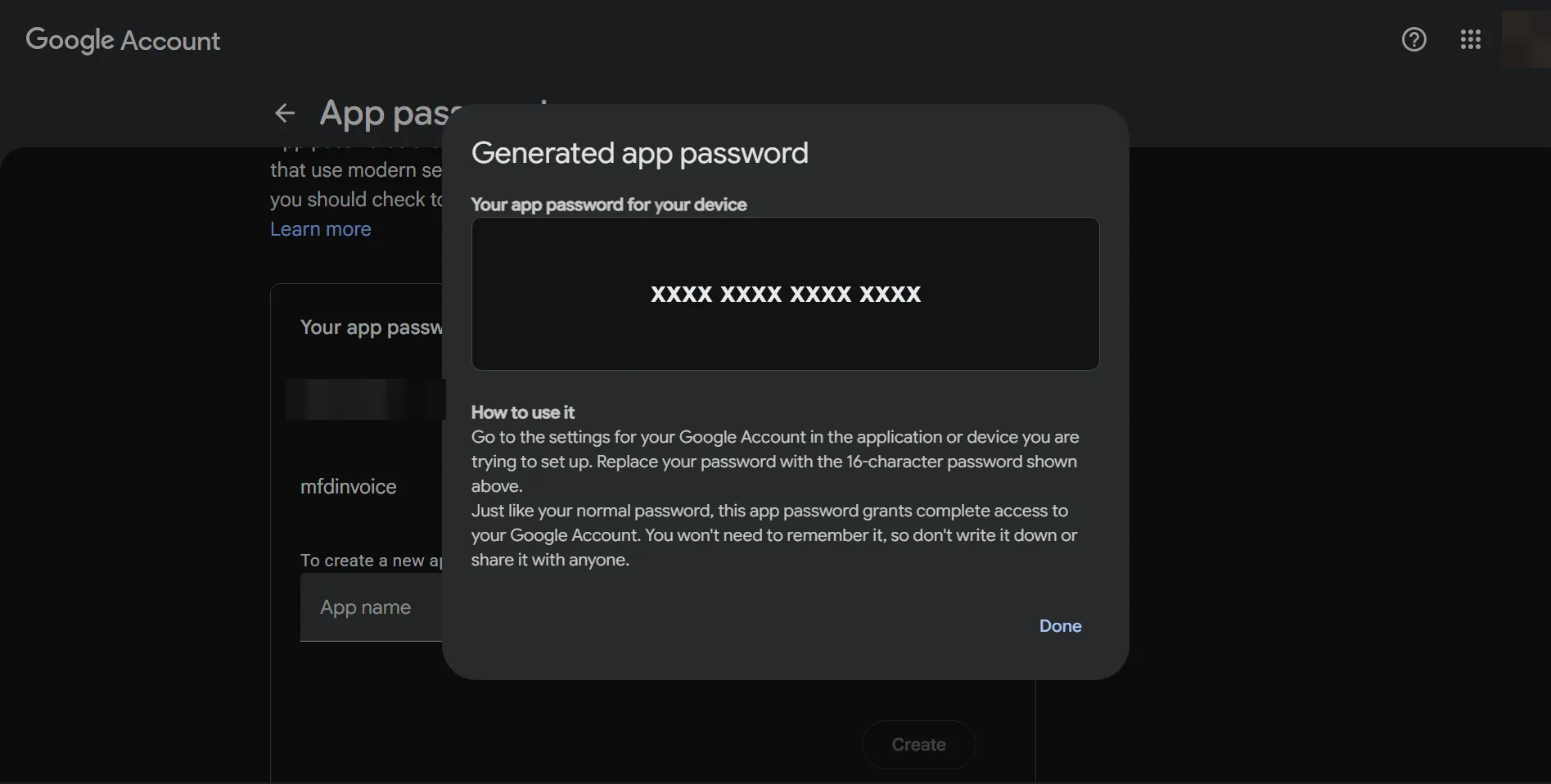
Copy the 16 letters into the app
Copy the password Google shows. In MFDInvoice, put your Gmail address and paste it under App password, then press Verify connection and Save.
No App passwords in the search? Google offers them only with 2-Step Verification on: turn it on under Security & sign-in, then search again. Stuck? Write to us